

Chatbots and Automation: How to Save Time and Reduce Errors in Everyday Work
In recent years, chatbots have moved from being a novelty to becoming an increasingly common tool within companies. Not because they are magical or because “AI does everything,” but because process automation with chatbots has become a practical way to organize repetitive tasks that previously depended entirely on people.
Answering messages, copying data between tools, following up, updating the CRM, confirming next steps. These are simple actions, but they happen constantly. When they add up, they usually lead to two clear problems: wasted time and avoidable errors.
In this article, we’ll look at four concrete use cases where chatbots and automation truly add value, using WhatsApp as the main example (although the same logic applies to web chat, Telegram, Slack, and other channels):
-
Support and customer service
-
Leads and first responses
-
CRM without manual data entry
-
Post-sale follow-up
The goal is to clearly show how WhatsApp automation for businesses is already helping teams work more efficiently today.
Why Chatbots Make Sense Today
More messages are coming in than ever before.
Response times matter more.
Data flows through more tools.
Small mistakes keep repeating.
In this context, chatbots act as a layer of process automation that helps bring order to day-to-day operations. Not to replace people, but to remove tasks that don’t require human judgment.
What We Mean by “Chatbot” Today
It’s worth clarifying this, since the term is used to describe very different things.
At a simple level, we can think of three types:
Support chatbots
They answer frequently asked questions, guide users, and route conversations.
Chatbots with automation
Beyond replying, they execute actions: saving data, triggering emails, creating or updating contacts.
Process-integrated chatbots
They operate within automated workflows, with clear rules about when to continue and when to hand the conversation over to a person.
In practice, the most effective bots don’t stand out because they “sound better,” but because they leave processes more organized after every interaction.
An Important Note About AI
When people talk about chatbots, many immediately think of ChatGPT. In reality, a professional chatbot may use generative AI to better understand user intent, but its value doesn’t lie in responses alone.
The real impact comes when that conversation is connected to a system: CRM integration, email delivery, task creation, or automatic escalation to the right team. AI helps interpret messages; automation is what makes things actually happen.
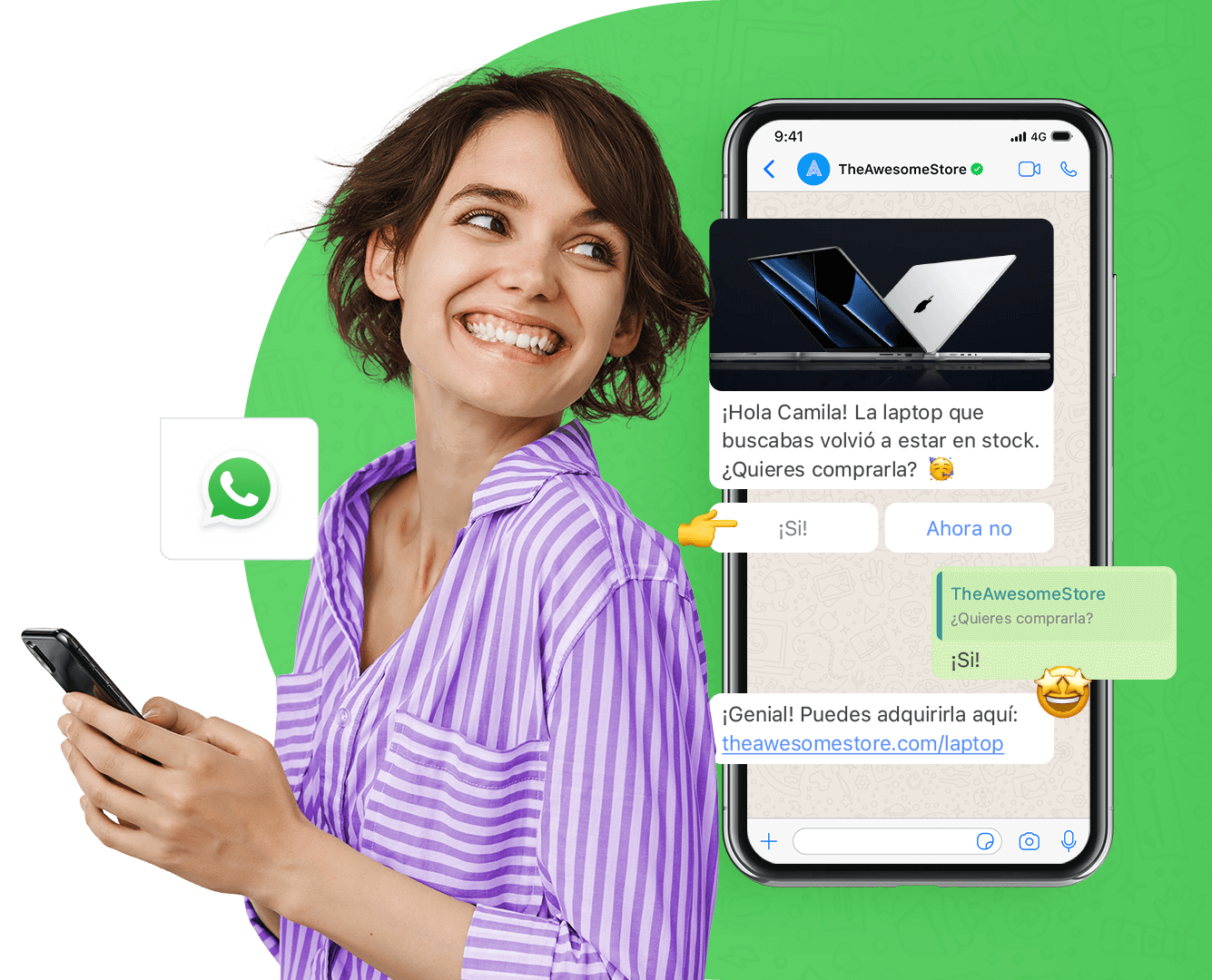
WhatsApp as the Entry Point
In this article, we use WhatsApp as the main example because it’s the most common channel today.
The same logic applies to web chat, Telegram, Slack, email, and others.
A typical flow looks like this:
-
A message comes in
-
A basic response is sent
-
Two or three key questions are asked
-
The information is saved
-
If needed, the case is handed off to a person with context
Nothing futuristic. Just clear, repeatable processes.
Case 1: Support and Customer Service
The problem
Repeated questions, rushed answers, unclear handoffs.
What gets automated
-
Base responses, such as:
-
business hours
-
prices or price ranges
-
availability or basic stock
-
requirements to hire a service
-
order status or next steps
-
-
Message intent classification
-
Context-aware handoff when needed
What changes
More consistent response times and less team burnout. Customer support can operate even outside business hours.
Case 2: Leads and First Responses
The problem
The lead arrives, but the response is delayed or follow-up depends on timing.
What gets automated
-
Basic data capture
-
Lead classification
-
Automatic assignment or internal notification
-
First follow-up
What changes
Fewer lost leads and a clear reduction in operational load for the sales team.
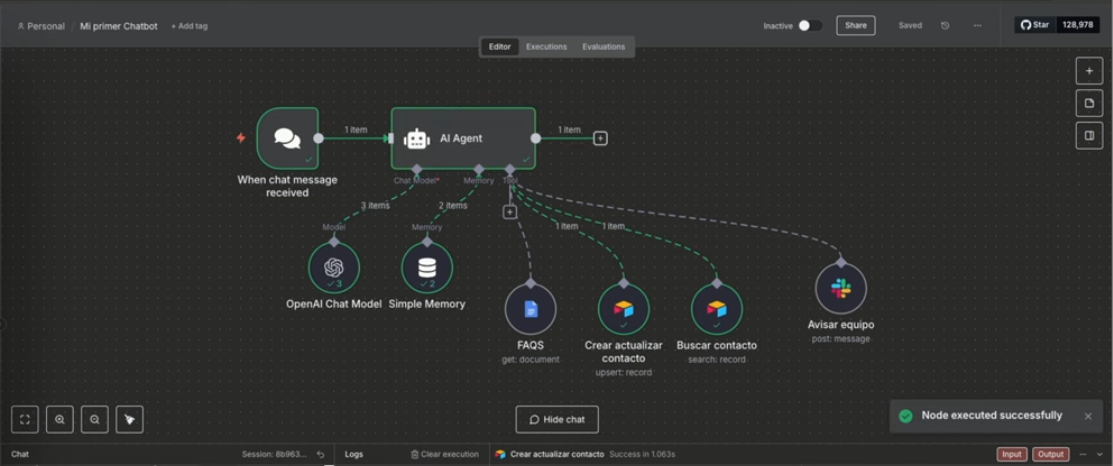
(Example of an automated chatbot flow that receives messages, queries data, and updates the CRM automatically.)
Case 3: CRM Without Manual Data Entry
The problem
Data is entered late, incorrectly, or not at all. A CRM that no one fully trusts.
What gets automated
-
Automatic contact creation or updates
-
Tags and lead source assignment
-
Owner assignment
What changes
The CRM starts reflecting the real state of the business without relying on human memory.
Case 4: Post-Sale Follow-Up
The problem
Disorganized onboarding, missed steps, customers asking the same questions repeatedly.
What gets automated
-
Milestone-based messages
-
Automated reminders
-
Basic follow-up
-
Internal notifications
What changes
A more consistent experience and less friction after the sale.
What to Automate First (and What to Avoid)
Not everything should be automated from day one.
Good candidates to start with:
-
repetitive tasks
-
simple decisions
-
steps that rely on “remembering”
-
processes where errors keep repeating
Better to avoid at first:
-
definitive answers in sensitive situations
-
processes without a clear owner
-
overly complex workflows
-
automations with no human fallback
A chatbot without boundaries often creates more problems than it solves.

What’s Behind It (Without Getting Technical)
Behind these workflows, the logic is usually straightforward:
-
a conversation channel (WhatsApp)
-
a workflow orchestrator like n8n
-
the tools the team already uses (CRM, email, spreadsheets, Slack)
-
clear rules about what gets saved and when to escalate
Thinking of it as a chain of actions makes it easier to understand:
Message → simple decision → automated steps → human when needed
A Few Important Truths
-
a bot needs boundaries
-
it needs to know when to stop
-
it needs logging
-
it needs periodic review
Automation isn’t “set it and forget it,” but when implemented well, it saves time every single day.
A Reasonable Way to Get Started
First stage
Basic support and clean handoffs.
Second stage
Data capture, CRM integration, and internal notifications.
Third stage
Post-sale flows, follow-ups, and improvements based on real data.
Each stage builds on the previous one.
Final Thoughts
Automating conversations isn’t about adding technology for the sake of it.
It’s about organizing processes, reducing avoidable errors, and freeing up time for tasks that truly require human judgment.
The difference between a business that scales and one that gets stuck is often not how many messages it receives, but how those messages and data are processed.
At SesentaMedia, we help companies implement process automation with chatbots, integrating WhatsApp, CRM systems, and automated workflows so teams can work better.
If your WhatsApp or CRM feels like a bottleneck, get in touch and let’s take a look together.